
Job sheets and timesheets lost between site and office
FSM follows a technician’s whole job, from the phone to the office. When the job is done, the office has the hours, work, materials, receipts and photos it needs to invoice.
The paperwork that follows every job
Most field teams run on paper sheets, phone calls and photos lost in chat apps. FSM puts it all on the job.
Paper or spreadsheet timesheets
- Time recorded on the job, from the phone
“What did you do today?” phone calls
- Work done ticked from a list for the trade
Materials scribbled on receipts
- Materials logged with a photo of the receipt
Photos scattered across chat apps
- One folder of photos for every job
Chasing what is ready to invoice
- Finished jobs land with the office, ready to review
One job, start to finish
Built for the field: big buttons, plain words, and tapping instead of typing.
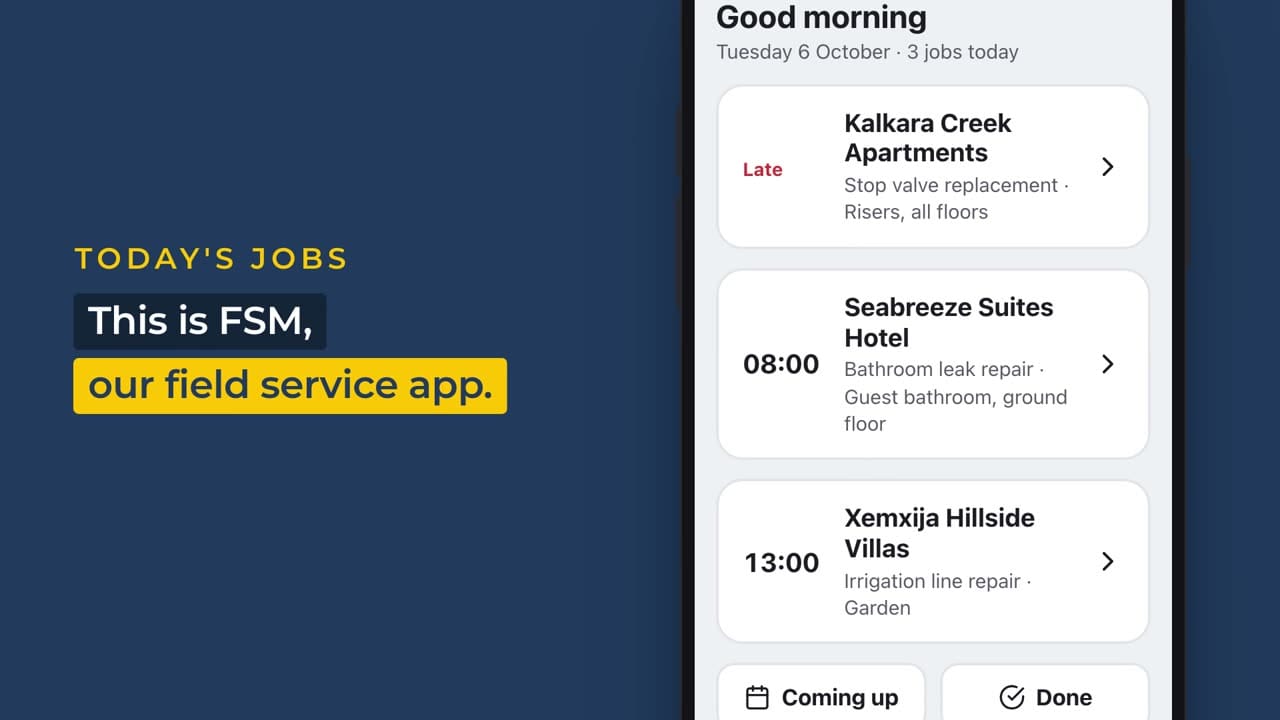
Today's jobs
Each technician opens the app and sees only the jobs they are on, with times and places.
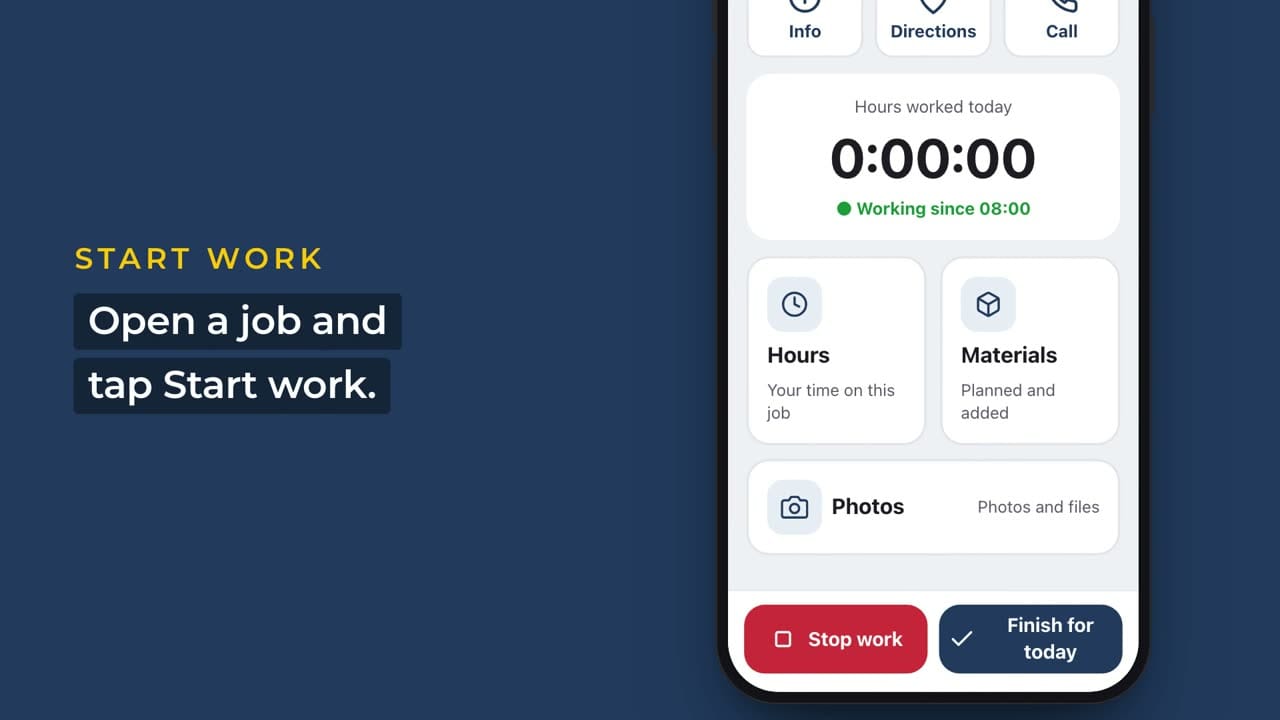
Start work
Open a job and tap Start. The clock runs while they work. Forgot? Add the time after.
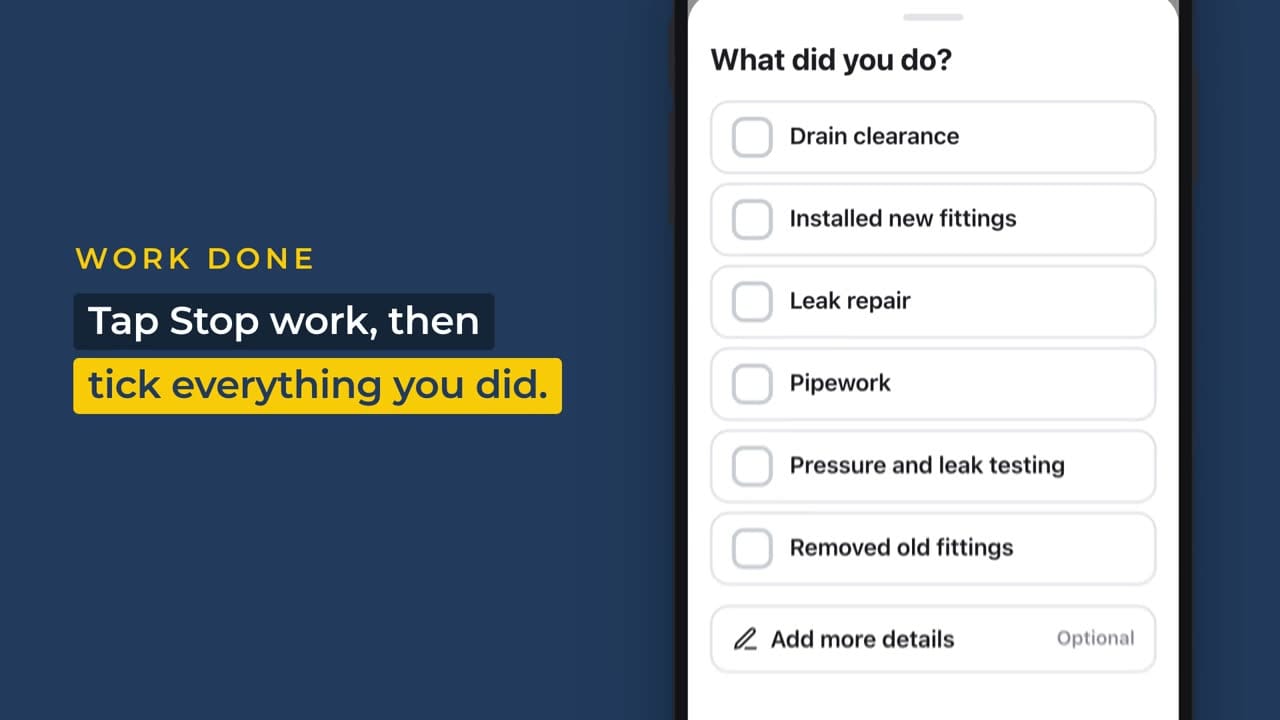
What did you do?
Tap Stop, then tick everything they did from a list made for the trade.
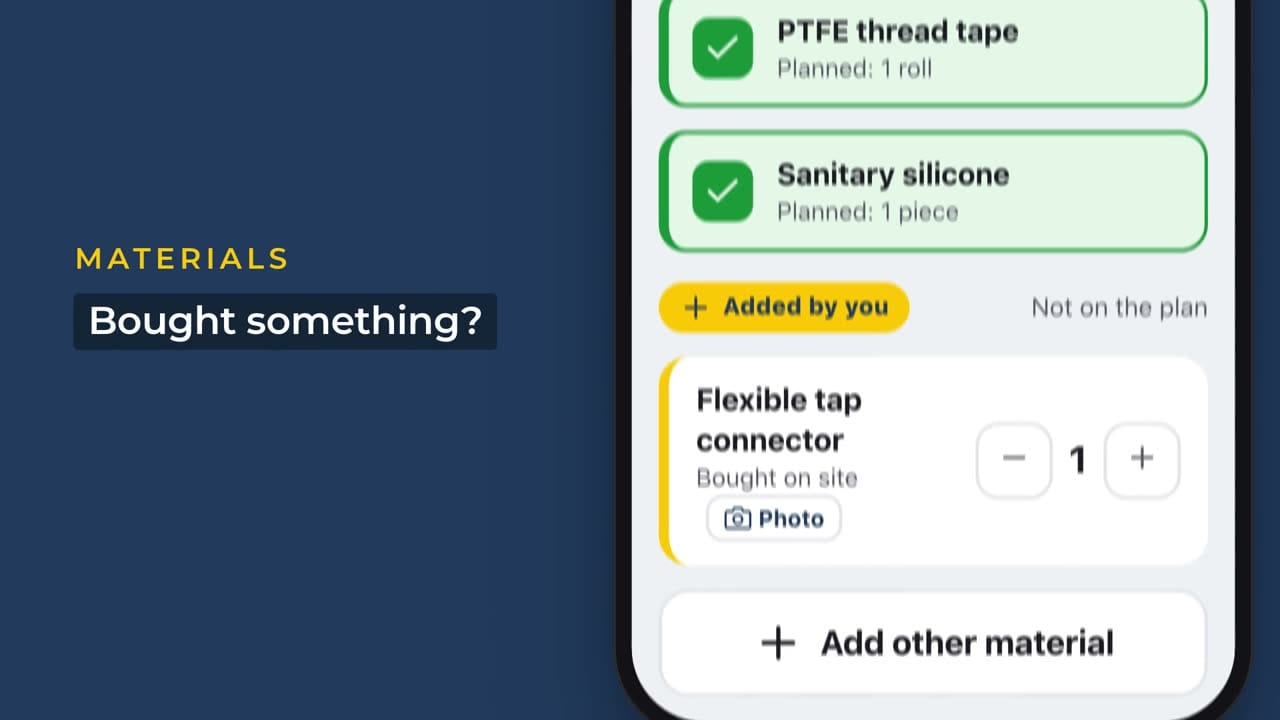
Materials
Tick the planned materials. Bought something extra? Add it and snap the receipt.
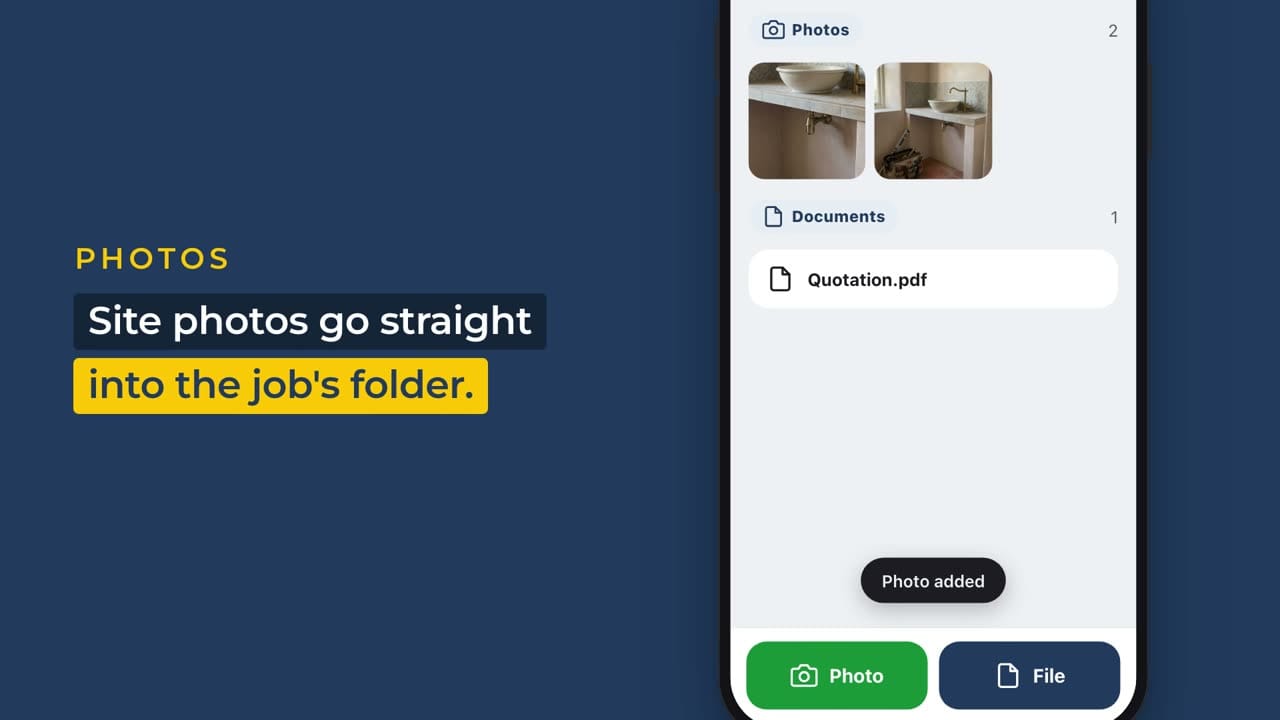
Photos
Site photos and documents go straight into the job’s folder.
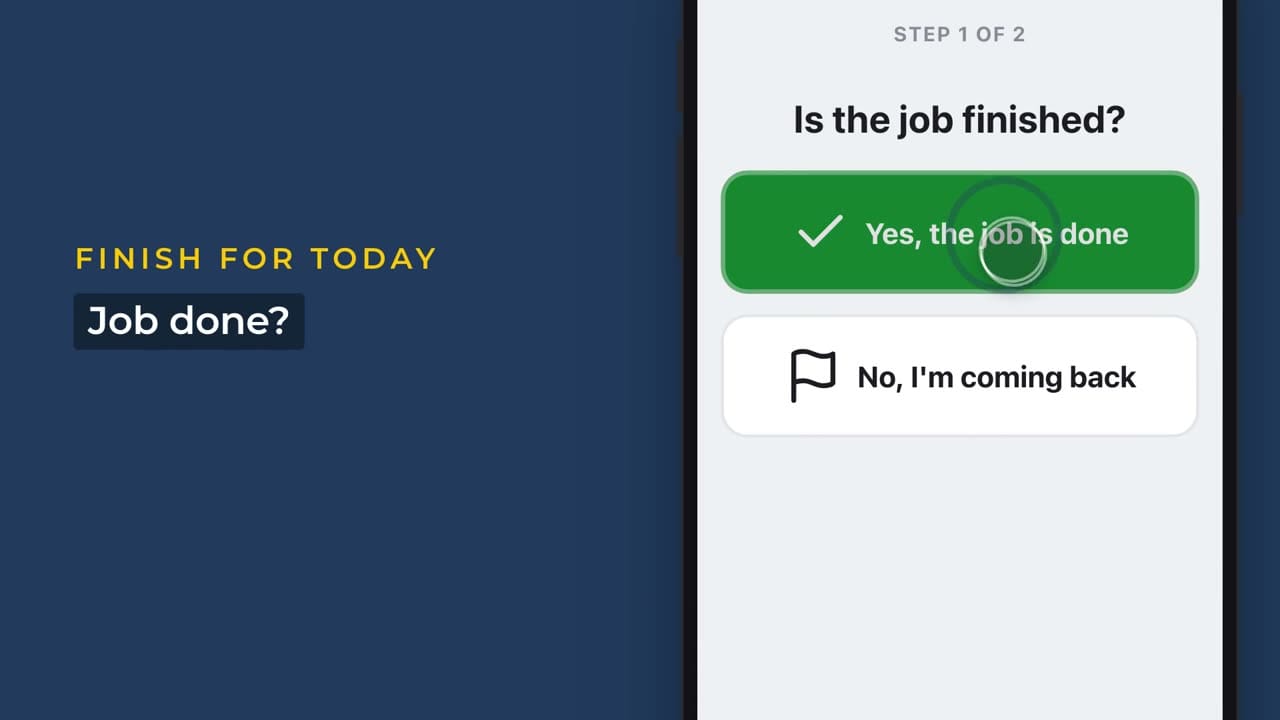
Finish for today
Mark the job done or coming back, check the summary and send.
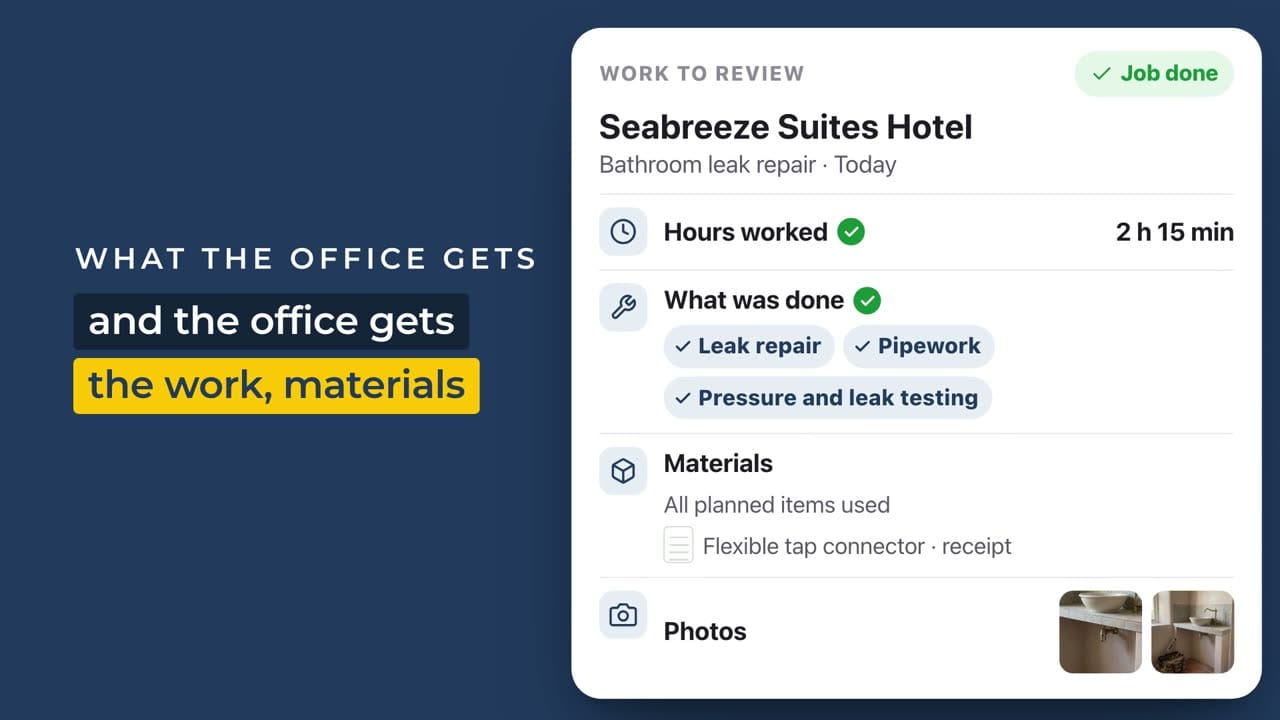
The office gets it all
Hours, work, materials and photos land in the Office & Finance app. Finance checks the draft invoice, approves it and exports it to your accounting package.
Simple for the field, complete for the office
Technicians
- See today's jobs and open one with a tap
- Start and stop work, or add time they forgot
- Record the work done and the materials used
- Or just say what they did, and the assistant fills in the hours, work and materials
- Take photos and receipts on the job
- Send the day when it is done
The Office & Finance app
- Set up customers, jobs and who is on them
- Plan the materials for each job
- Review hours, work, materials and photos in one place
- Check the draft invoice, approve it and export it to your accounting package
- See unbilled work, invoicing and technician hours in Power BI
Made for teams that work on site
Runs in your Microsoft 365
Your team signs in with the work account they already have. No new logins.
Your data stays yours
Everything is kept in your own Microsoft 365, not on our servers.
Fits how you work
Work lines, materials and settings are lists you can change for your trade.
FAQs
How do we get FSM?
Book a demo. We talk through how your team works today, show you FSM on your kind of jobs and agree the set-up with you.
Do we need Microsoft 365?
Yes. FSM runs inside your Microsoft 365, so your team signs in with the work account they already have and your data stays in your tenant. If you don’t have Microsoft 365 yet, we can help you set it up. The voice assistant and the Power BI reports need extra Microsoft licences. We go through what you need in the demo.
Does it work on any phone?
Yes, on iPhone and Android, through the free Microsoft app your team installs once.
Can technicians just talk to it?
Yes. They say what they did and the voice assistant turns it into hours, work and materials. Nothing is saved until they check it and tap Save. You can switch it off.
Can it match how we work?
Yes. Work lines, the material catalogue, rates and settings are lists you can change, so the app fits your trade without new code.
How is it set up?
We set it up for you in your Microsoft 365 and load your jobs, people and settings, so your team starts with everything in place.
What happens to our data if we stop?
It stays in your Microsoft 365. Nothing is held on our servers.

William, Founder
See FSM on your kind of jobs
Book a demo. We will walk through a real job with you, from the phone to the office, and show how FSM would fit your team.